
User Management
Kite supports multiple user management methods, combining OAuth with local password users, and working with the RBAC permission system to achieve flexible access control.
User Types
- OAuth Users: Login through third-party identity providers (such as GitHub, OIDC, etc.).
For how to configure OAuth, see OAuth Configuration Guide
- Password Users: Login through username and password. Password users can enable authenticator app MFA and register passkeys for passwordless login.
- API Keys: Used for scripts, CI/CD, or external systems calling Kite APIs. See API Authentication.
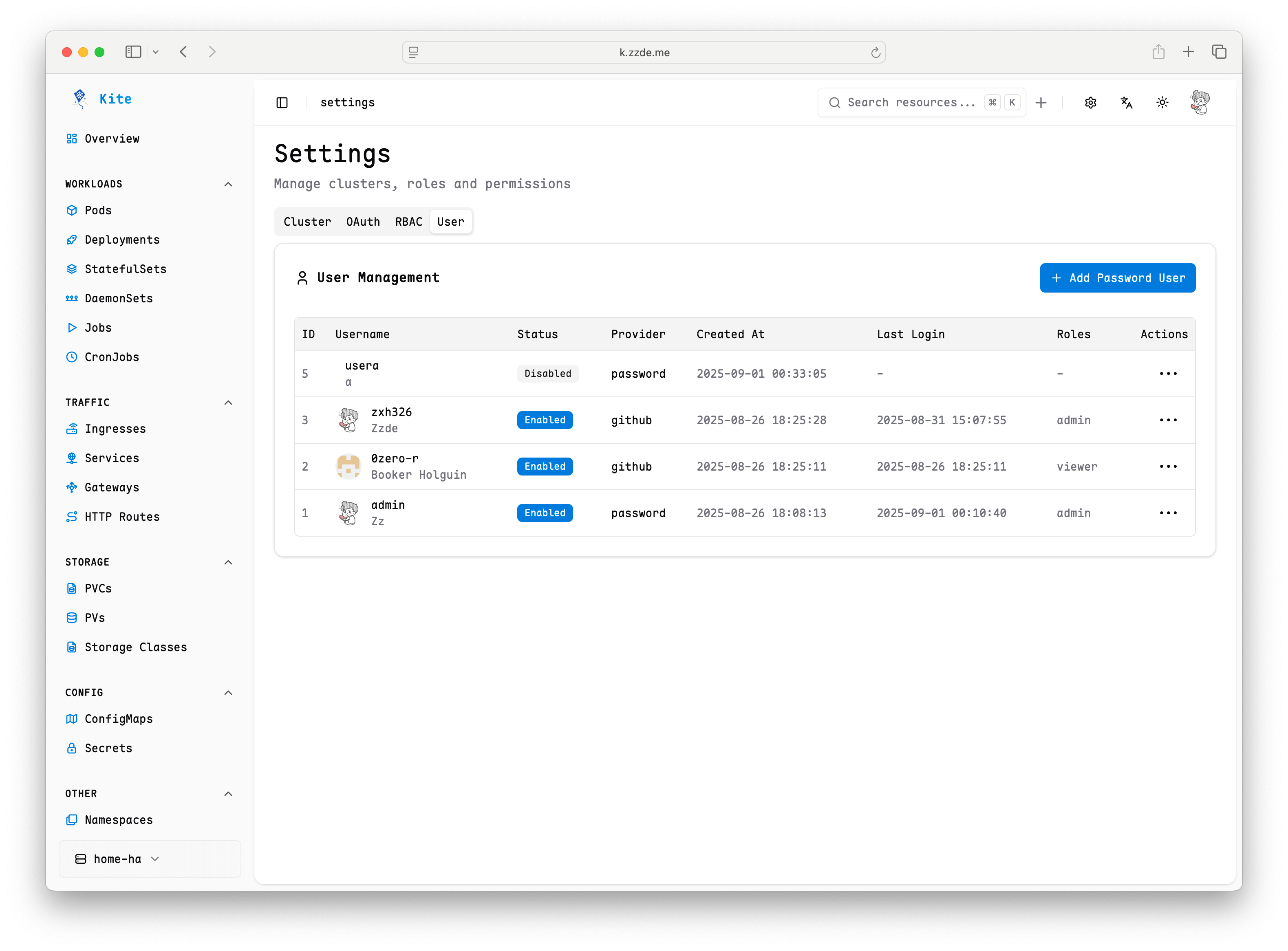
User Management
Users with the admin role can access the settings entry in the upper right corner of the page to enter the user and permission management interface.
In this interface, you can:
- View all current users and their role information
- Add new users (only password users are supported)
- Disable or delete accounts that are no longer needed
- Modify user role assignments to achieve permission adjustments
Account Security
MFA and passkey login are enabled by default and can be managed by admins in Settings -> Authentication.
Password users can manage their own security settings from the account settings dialog:
- Enable MFA with a TOTP authenticator app
- Add or delete passkeys
- Use passkeys to sign in when passkey login is enabled
MFA and passkeys are available only for password users. OAuth and LDAP users should use the security policies from their identity provider.
Best Practices
- Recommend prioritizing OAuth users to achieve unified identity management
- Password users are suitable for special or temporary scenarios
- Enable MFA or passkeys for password users
- Regularly review user lists and role assignments to ensure minimal permissions
- Disable unused accounts to reduce security risks
For permission assignment, refer to RBAC Permission Management